Primitives

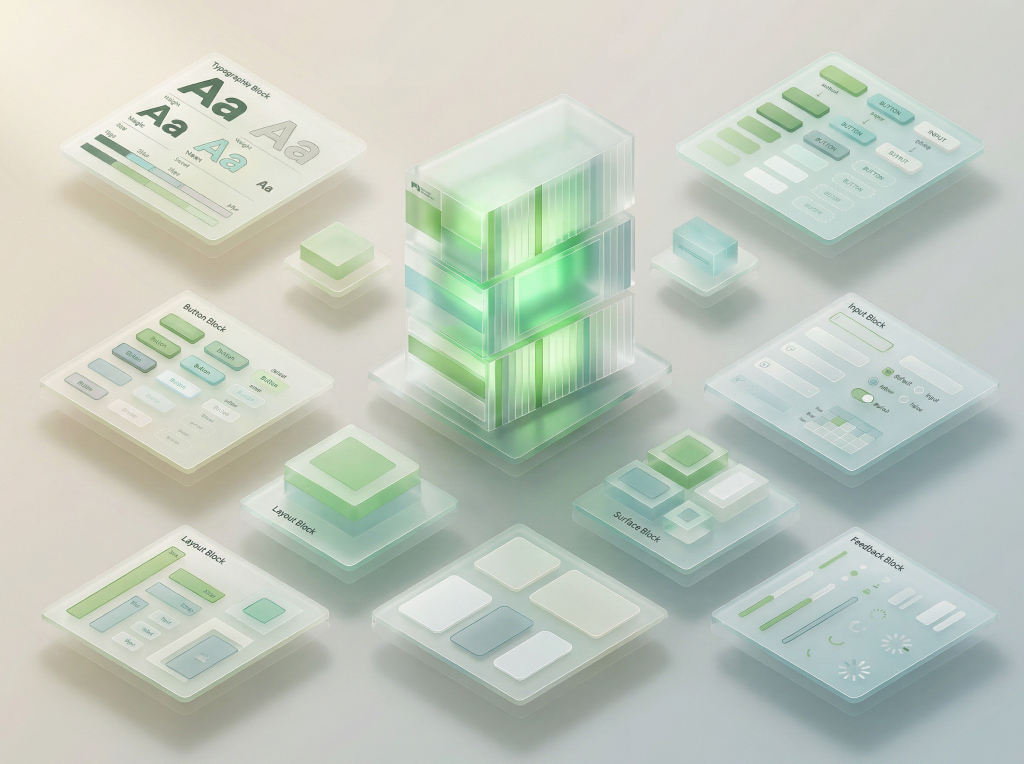
The foundational building blocks of Gel UI. Pre-composed patterns that combine tokens into reusable typography, buttons, surfaces, inputs, and layout structures — ready to assemble into full components.

Design System — Layer 3 · Primitives

10

Categories

95+

Primitives

4

Font Roles

GelUI Primitives
Typography

Type Presets

14 typography compositions — headings, body, UI labels, and code

PresetPreview
Display
Design systems that feel alive
H1
Page heading
H2
Section heading
H3
Subsection heading
H4
Card heading
H5
Small heading
H6
Micro heading
Body
Every surface in Gel UI is designed to feel alive — blurring, refracting, and breathing with the content behind it. From volumetric gel shadows to adaptive contrast detection, each layer responds to its environment in real time.
Body Sm
Smaller body text for descriptions and secondary content.
Caption
Caption text for metadata
Overline
OVERLINE LABEL
Label
Form label
Code
const theme = 'glassmorphism';
Code Sm
var(--glass-radius)
Link
Learn more about GelUI →
Typography

Typography Extras

Blockquotes, lists, and keyboard shortcut indicators

Blockquote
Good design is as little design as possible. Less, but better, because it concentrates on the essential aspects, and the products are not burdened with non-essentials.
Dieter Rams, Ten Principles of Good Design
Lists
Unordered
Design tokens
Glass primitives
Layout compositions
Interactive controls
Ordered
1.Install dependencies
2.Configure tokens
3.Import primitives
4.Build components
Keyboard Shortcuts
Command Palette
+K
Copy
Ctrl+C
Save
+S
Undo
+Z
Select All
+A
Inline Code

Use the <Button> component with variant="solid" for primary actions and variant="ghost" for secondary actions. Set the size prop to "sm", "md", or "lg" to control dimensions.

Import primitives from @/primitives/buttons and configure the glass effect with CSS variables like --glass-radius and --glass-blur. The useDarkMode() hook detects theme changes automatically.

Interactive

Buttons

Gel, glass, and ghost variants with sizes and states

Adaptive Color
Solid
Pill
Rounded
Small
Ghost
Pill
Rounded
Action Pair
Medium
Compact
Link
Underline
Arrow
Color Pill
Colors
With Count
Gel
Sizes
Icons
Aura
Glass
Pill
Rounded
States
Default
Hover
Disabled
Icon Button
Sizes
Icons
Liquid
Violet
Emerald
Electric
Material

Glass Surfaces

7 surface primitives for cards, panels, and overlays

Transparent Border only, no blur
glass-transparent
Subtle Minimal blur, light tint
glass-0
Card Standard card surface
glass-1
Modal Stronger blur for dialogs
glass-2
Overlay Maximum blur depth
glass-3
Gel Volumetric inset shadows
gel-glass
Solid 100% opaque, no transparency
solid
Containers

Surfaces Extras

Expandable sections and scrollable content areas

Accordion
Design tokens are the visual design atoms of the design system — named entities that store visual attributes such as colors, typography, spacing, and elevation. They serve as a single source of truth, enabling consistency across platforms and themes.
Glass surfaces combine backdrop-filter blur, semi-transparent backgrounds, and border treatments to create frosted glass aesthetics. Different levels (glass-0 through glass-3) provide increasing blur depth for various UI contexts like cards, modals, and overlays.
Yes — all primitives accept className and style props for customization. They respect dark mode via the useDarkMode hook, and token values can be overridden at the CSS variable level for complete theming control.
Scroll Area

Every surface in Gel UI is built on a foundation of translucent layers. The backdrop-filter property creates the signature frosted glass effect, while carefully tuned opacity values ensure text remains readable across any background. This approach allows interfaces to feel lightweight and contextual — the background becomes part of the design, not hidden behind it.

The token system underpinning these surfaces provides granular control over blur intensity, saturation, transparency, and shadow depth. Each parameter can be adjusted independently through the Appearance settings, allowing users to find their preferred balance between translucency and readability. Dark mode automatically inverts the appropriate values while preserving the visual hierarchy.

Primitives like Accordion and ScrollArea extend the surface concept by adding interactive behavior to contained areas. An accordion manages vertical space by revealing content on demand, while a scroll area constrains tall content within a fixed viewport with styled scrollbars. Both components inherit the design system's border radius, font settings, and dark mode tokens — ensuring visual consistency with every other primitive in the library.

Containers

Card Panels

9 panel recipes — glass, gel, and solid variants with frost options

Standard

glass-1 + ds-card-frost

Default card for text-heavy content. 95% frost ensures maximum readability on any background.

backdrop-filter frost-95%
Haze

glass-1 + ds-card-frost-haze

Partial see-through card. 35% frost for showcasing visual elements with some background context.

backdrop-filter frost-35%
Transparent

border only — no glass

Content floats directly on the wallpaper. Border-only container for gel/glass button showcases.

no blur no frost
Plain Glass

glass-1 — no frost

Glass blur without frost overlay. For small cards, badges, or elements where content is short and readable.

backdrop-filter no frost
Directional

glass-1 + token-hero-frost

Left-to-right frost. Text on the left stays readable, image/content on the right shows through.

backdrop-filter frost-L→R
Solid

100% opaque — no glass

Fully opaque card with no transparency, blur, or frost. Maximum contrast for data-heavy or critical content.

no blur no frost opaque
Gel Standard

gel-glass + specular shine

Volumetric gel surface with inset shadows and specular highlight. Premium feel for hero content and featured items.

gel-glass volumetric
Gel Floating

gel-glass + elevated shadow

Gel surface that appears to float above the background with stronger outer shadows. For modals, popovers, and elevated content.

gel-glass floating
Gel Inset

inset shadows — recessed

Gel surface pressed into the background. Reversed shadows create a recessed/embedded feel. For input wells, content areas, and nested containers.

gel-inset recessed
Separator

Dividers

10 variants — horizontal, vertical, labeled, and glass effects

Horizontal
Default
Bold
Dashed
Gradient
With label
or
With icon
Section break
Vertical & Spacing
Vertical divider
Left
Right
Inset divider
Glass
Etched line
Groove
Ridge
Frosted slit
Vertical glass
Left
Right
Form

Input Fields

Glass-styled form elements with validation states

https://
Form

Advanced Inputs

OTP pin, password, and number input primitives

OTP / Pin Input
6-digit code
4-digit PIN
Error state
Login Form
Username
Password
Disabled
Number Input
Default (1–20)
Step by 5
Form

Pickers

Date, date range, date-time, color picker, and week strip primitives

Date Picker
Date Range Picker
Date Time Picker
Time Picker
Color Picker
Week Strip
April, 2026
April, 2026
Indicators

Badges & Labels

Status indicators, tags, and label primitives

Status Badges
successSuccess
warningWarning
errorError
infoInfo
NeutralNeutral
Status Dots
Online
Away
Busy
Offline
Tags & Chips
Removable Tags
ReactTailwindAstro
Selectable Chips
Avatars
Sizes
Alice
xs
Bob
sm
Carol
md
Dan
lg
Group
Alice Chen
Bob Kim
Carol Diaz
Dan Lee
Eve, Frank
+2
Notification Badges
Count
31299+
Dot
Tooltip Labels
Top
Bottom
Left
Right
Data

Data Display

Tables, stat cards, empty states, and color swatches

Table (Striped)
NameRoleStatus
Alice ChenEngineerActive
Bob SmithDesignerAway
Carol WuPMActive
Dan LeeDevOpsOffline
Stat Cards
New Users
1.39K
147%VS PREV. 28 DAYS
Week 1 Retention
4.53%
10.7%VS PREV. 28 DAYS
Revenue
$12.4k
8.3%VS PREV. 28 DAYS
Empty State
No results found
Try adjusting your search or filters to find what you're looking for.
Color Swatches
Info
Hex: #5AC8FARGB: (90, 200, 250)
Success
Hex: #34C759RGB: (52, 199, 89)
Warning
Hex: #FF9500RGB: (255, 149, 0)
Error
Hex: #FF3B30RGB: (255, 59, 48)
Neutral
Hex: #8E8E93RGB: (142, 142, 147)
Visualization

Charts

Line, bar, donut, area, and sparkline charts powered by Recharts

Line Chart
Bar Chart
Donut Chart
42%
Direct
Area Chart
Stacked Bar
Sparkline
Revenue
+18%
Users
+24%
Orders
+10%
Churn
-12%
Bounce
+5%
Spacing

Layout

Stack, inline, center, spacer, and grid

Stack (Vertical)
gap: 8px
gap: 16px
Inline (Horizontal)
gap: 8px
gap: 16px
Center & Spacer
Center
Spacer
Grid
1
2
3
4
5
6
Responsive Columns
1
2
3
4
5
6
Selection

Controls

Toggle, checkbox, radio, and segmented controls

Toggle & Checkbox
Toggle Off
Toggle On
Unchecked
Checked
Radio & Segmented
Option A
Option B
Segmented Control
Slider60%
Gel Style

Glass Controls

Volumetric gel-styled toggles, checkboxes, radios, and sliders

Gel Toggle & Checkbox
Toggle Off
Toggle On
Unchecked
Checked
Gel Radio & Segmented
Option A
Option B
Segmented Control
Slider60%
Notifications

Alerts

Alert variants and toast notifications

Information
Anyone with a link can now view this file.
Success
Anyone with a link can now view this file.
Warning
Anyone with a link can now view this file.
Error
Anyone with a link can now view this file.
Toast
Wayfinding

Navigation

Interactive tab bars, breadcrumbs, and nav items

Icon Nav Bar
Tab Bar
Pill Tabs
Breadcrumb
Nav Items
Loading

Feedback

Spinners, progress, and star ratings

Spinners & Progress
Sizes
Progress (35%)
Star Rating
Default4.8
Half star3.5
Sizes
Interactive (click to rate)0.0
Depth

Elevation

Shadow depth levels

FlatNo elevation
z-0
RaisedDropdowns
z-100
FloatingPopovers
z-300
ModalDialogs
z-400
TopTooltips
z-600
Wayfinding

Navigation Extras

Pagination, stepper, and scroll-to-top primitives

Pagination
Page 1 of 10
Stepper
Account
2
Profile
3
Settings
4
Review
Vertical Stepper
AccountCreate your account credentials
2
ProfileAdd your personal information
3
SettingsConfigure your preferences
4
ReviewConfirm and submit
BackToTop is a floating button primitive that appears on scroll. It is available via @/primitives/navigation and can be placed at the page level.
Overlay

Modals

Dialog overlays — basic, form, tabbed, confirm, and media upload

Modal Types
BasicSimple confirmation dialog
FormInput fields with labels
TabbedSettings with tab navigation
ConfirmDestructive action warning
Confirm ModalAnimated danger confirmation with hover effects
Confirm Modal (Default)Animated default confirmation with hover effects
MediaFile upload with progress
ResizableDrag edges to resize, maximize & minimize

All modals are draggable glass panels using useDraggableModal hook

Data

Tree Folder

File and folder browser with expand, collapse, and selection

Tree Folder
src
components
Header.tsx
Footer.tsx
Sidebar.tsx
pages
index.astro
about.astro
blog
global.css
utils.ts
public
package.json
tsconfig.json
README.md
Component

Tree Menu

Editable menu tree with CRUD and reorder

Tree Menu (Editable)
Menu Structure
Home/
Products/products
Software/products/software
Cloud Platform/products/cloud
Analytics Suite/products/analytics
Security Tools/products/security
Hardware/products/hardware
Servers/products/servers
Networking/products/networking
Pricing/pricing
Solutions/solutions
Enterprise/solutions/enterprise
Startups/solutions/startups
Education/solutions/education
Resources/resources
Documentation/docs
Blog/blog
Community/community
Contact/contact
Media

Video Player

Glass-styled HTML5 video player with scrubber, volume, and fullscreen

Yellow Girl with Bird
0:00
0:00 / 0:00
Loading

Skeleton

Shimmer placeholders for loading states

Card Loading
List Loading
Text Block
Media

Carousel

Auto-rotating image slideshow with crossfade, dots, and hover arrows

Travel destination 1Travel destination 2Travel destination 3Travel destination 4Travel destination 5