Design Tokens

Token Architecture 2026
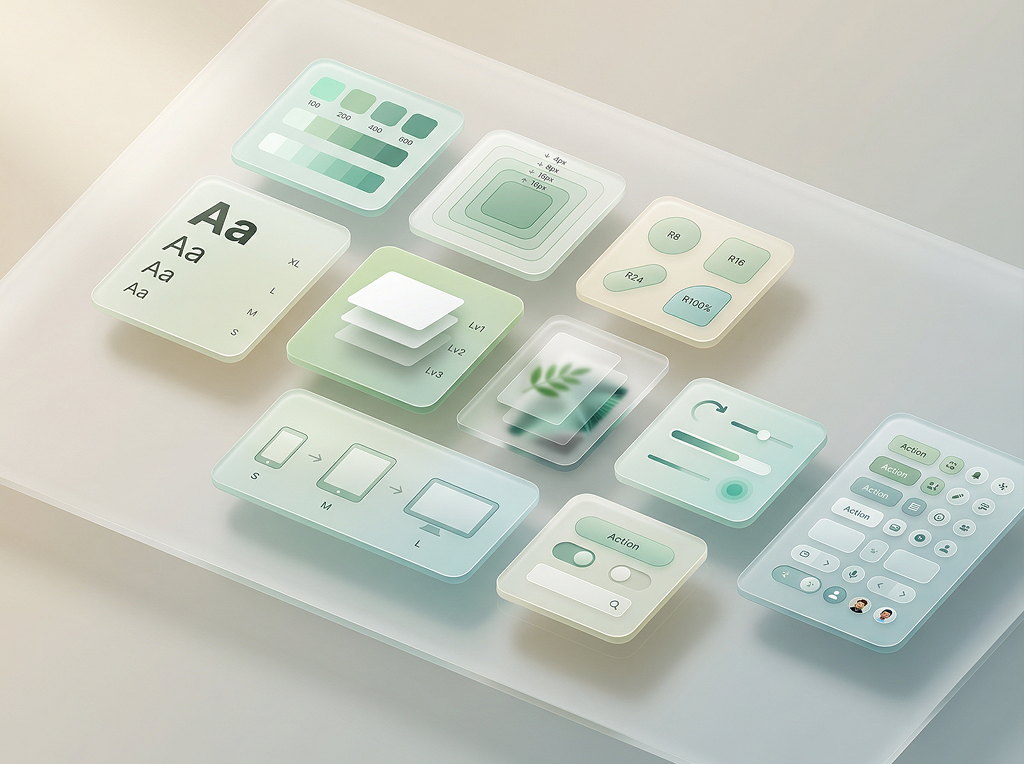
// The atomic building blocks of every visual decision. Our 3-tier architecture ensures consistency across themes, modes, and platforms.
3 Tiers Core → Semantic → Component
120+ Tokens across color, type & space
Dark + Light Full theme support built-in
Design Token Architecture
Colour System

Brand Colour Scheme

3 brand colours derived from logo · auto-generated scales

Brand Logo
Forest Green#354334
Dark#1D251D
Gray#78788A
Muted#97AD96
Tint#F4F6F4
Colour Scheme
Forest Green#354334
Olive Green#4A5E48
Golden Yellow#FFC800
Scales
Forest GreenPrimary
#354334
50
100
200
300
400
500
600
700
800
900
Olive GreenSecondary
#4A5E48
50
100
200
300
400
500
600
700
800
900
Golden YellowAccent
#FFC800
50
100
200
300
400
500
600
700
800
900
Gray
#78788A
50
100
200
300
400
500
600
700
800
900
Design Decisions

Semantic Colors

Remappable intent-based tokens with light and dark variants

Token
Light
Dark
primary
var(--raw-forest-green-500)
var(--raw-forest-green-400)01
primaryHover
var(--raw-forest-green-600)
var(--raw-forest-green-300)02
error
var(--raw-red-500)
#FF696103
success
var(--raw-green-500)
#4AD96B04
warning
var(--raw-amber-500)
#FFB34005
info
var(--raw-cyan-500)
#7AD4FC06
surface
var(--raw-white)
var(--raw-gray-900)07
onSurface
var(--raw-gray-800)
var(--raw-gray-100)08
Hierarchy

Text Colors

Opacity-based text hierarchy for consistent readability

Token
Light
Dark
primary
Sample text
rgba(30,30,35, 0.88)
Sample text
rgba(255,255,255, 0.92)
secondary
Sample text
rgba(30,30,35, 0.52)
Sample text
rgba(255,255,255, 0.55)
tertiary
Sample text
rgba(30,30,35, 0.35)
Sample text
rgba(255,255,255, 0.35)
onPrimary
Sample text
#FFFFFF
Sample text
#FFFFFF
onError
Sample text
#FFFFFF
Sample text
#FFFFFF
Typography

Font Families

4 standard font roles — Heading, Body, UI, Mono — plus 2 optional slots for Data and Accent

Heading --font-heading

H1–H6, hero text, banners, titles

Google Sans, system-ui, sans-serif

The quick brown fox jumps over the lazy dog

The quick brown fox jumps over the lazy dog

400500600700
Body --font-body

Paragraphs, descriptions, content

Google Sans, system-ui, sans-serif

The quick brown fox jumps over the lazy dog

The quick brown fox jumps over the lazy dog

400500550600650700750
UI --font-ui

Buttons, nav, labels, badges, forms

Linked to Body font

The quick brown fox jumps over the lazy dog

The quick brown fox jumps over the lazy dog

400500600700
Mono --font-mono

Code, tokens, technical data

SF Mono, SFMono-Regular, ui-monospace, Menlo, monospace

const token = "design-system";

const token = "design-system";

400600
Typography

Sizes & Weights

9 sizes and 5 weights — preview in any font role

Sizes

Token
Size
Preview
2xs
10px
The quick brown fox
xs
11.5px
The quick brown fox
sm
13px
The quick brown fox
md
15px
The quick brown fox
lg
17px
The quick brown fox
xl
20px
The quick brown fox
2xl
24px
The quick brown fox
3xl
30px
The quick brown fox
4xl
36px
The quick brown fox

Weights

Token
Value
Preview
regular
400
The quick brown fox jumps
medium
500
The quick brown fox jumps
semibold
550
The quick brown fox jumps
bold
650
The quick brown fox jumps
heavy
750
The quick brown fox jumps
Layout

Spacing

4px base unit system for consistent rhythm

XS
4px Badge padding
SM
8px Compact elements
MD
12px Standard internal
LG
16px Generous internal
Section
20px Between sections
Panel
24px Panel padding
Page
32px Page margins
Grid
16px Bento grid gap
Raw Scale
1
0.25rem
2
0.5rem
3
0.75rem
4
1rem
5
1.25rem
6
1.5rem
8
2rem
10
2.5rem
12
3rem
16
4rem
Shape

Border Radius

8 raw values + 3 configurable presets

Raw Values

0 0px
4 4px
6 6px
8 8px
10 10px
12 12px
16 16px
18 18px

Presets

Preset
LG
Main
SM
Pill
minimal
12px
8px
4px
8px
medium
24px
16px
10px
40px
large
40px
28px
18px
100px
Depth

Shadow Presets

Three elevation levels — Flat, Soft, and Elevated

flat box-shadow: none
flat
soft 0 8px 40px rgba(0,0...
soft
elevated 0 16px 60px rgba(0,0...
elevated
Transparency

Glass Levels

4 depth levels for glass morphism effects

0 Subtle
blur 4px
sat 1.2×
alpha 0.1
1 Cards
blur 12px
sat 1.6×
alpha 0.35
2 Modals
blur 24px
sat 1.8×
alpha 0.65
3 Overlays
blur 40px
sat
alpha 0.8
Material

Glass Types

8 distinct glass effects — shown directly on your background for a real preview

Transparent

Border only — fully see-through

glass-transparent
Standard Glass

Backdrop blur + semi-transparent background

glass-0 · glass-3
Gel Glass

Volumetric inset shadows + specular highlight

gel-glass
Glass on Glass

Layered transparency at different levels

glass-1 → glass-1
Inner glass panel
Glass on Gel

Deepest compound layering effect

gel → glass-1
Inner glass panel
Gel on Glass

Inverted compound layering

glass-1 → gel
Inner gel panel
Gel on Gel

Double volumetric depth

gel → gel
Inner gel panel
Gel on Transparent

Volumetric element on borderless surface

transparent → gel
Inner gel panel
Animation

Motion

Duration + easing tokens for smooth transitions

Duration — hover to preview
instant 0ms
fast 150ms
normal 250ms
slow 400ms
enter 300ms
exit 200ms
Easing — hover to preview
default cubic-bezier(0.4, 0, 0.2, 1)
in cubic-bezier(0.4, 0, 1, 1)
out cubic-bezier(0, 0, 0.2, 1)
spring cubic-bezier(0.34, 1.56, 0.64, 1)
smooth cubic-bezier(0.25, 0.1, 0.25, 1)
Layout

Breakpoints & Z-Index

Responsive breakpoints + layering values

Token Min Width
xs 0px
sm 480px
md 768px
lg 1024px
xl 1280px
2xl 1536px
Layer Value
base
0
dropdown
100
sticky
200
overlay
300
modal
400
toast
500
tooltip
600
max
9999
Runtime

Live Theming

How Appearance settings cascade to every component via CSS variables

Setting Preview
Border Radius14px
Blur Intensity24px
backdrop-filter: blur(24px)
Shadow Depthnone
Loading...
Live Preview
Gel Button
Glass Card
Glass Card
Input
Toggle
Badges
Live
Spinner
CSS Variables16 variables
--glass-radiusBorder Radius
(not set)
--glass-radius-smBorder Radius
(not set)
--glass-radius-pillBorder Radius
(not set)